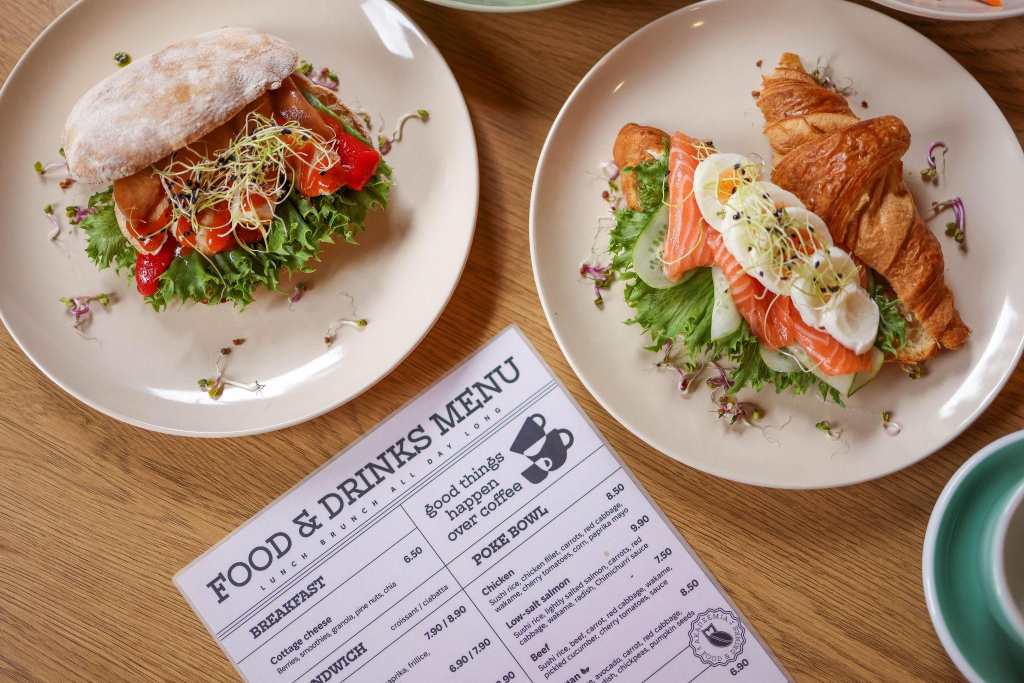
The menu guides how the kitchen manages orders, how customers choose, and how prices are perceived. When category order, item names, allergy labels, dietary icons, font size, contrast, and photos are unclear, guests spend more time asking questions and less time choosing.
After comparing dishes and checking plans, someone might take a short pause and look for Latvian brides to start an online conversation, then return to designing a menu. The main point for restaurants stays practical: people order faster when information is easy to read.
Design Problems That Slow Down Ordering
Most ordering confusion starts with structure. Guests need categories in a familiar order, plain item names, readable prices, clear allergen notes, and a digital version that works on a phone screen. Staff also need a layout that matches kitchen stations and service timing.
Poor Menu Hierarchy
Menu hierarchy tells customers where to look first. Starters, mains, sides, desserts, drinks, and specials should follow a predictable order, with section headings that stand out from item names. When every line has the same weight, guests struggle to separate categories from dishes.
Visual grouping helps service too. A brunch section, grill section, raw bar, kids’ section, and dessert block should match how the kitchen prepares food. If the layout mixes fried items, salads, cocktails, and premium steaks without structure, servers repeat explanations and the kitchen receives uneven ticket flow.
Confusing Item Names
Creative names work when the description explains the dish quickly. A burger called “The Dockside” tells less than “Dockside Burger with cheddar, grilled onions, and house sauce.” Customers need the core protein, main ingredients, cooking style, and portion cue before they feel ready to order.
Item naming should avoid hidden surprises. Terms such as “spicy,” “smoked,” “raw,” “fried,” “vegan,” “gluten-free,” and “contains nuts” should appear where they affect the decision. In the United States, sesame joined milk, eggs, fish, shellfish, tree nuts, peanuts, wheat, and soybeans as a major food allergen in 2023.
Weak Price Alignment
Price alignment changes how guests scan value. A column of prices at the far right encourages people to compare costs before reading descriptions. Prices placed close to item names and descriptions keep attention on the dish itself.
Pricing clarity improves when design supports quick comparison without making cost the loudest element:
- Remove extra symbols when the restaurant style allows clean numbers.
- Keep add-on prices beside the exact modifier, such as avocado, shrimp, or extra cheese.
- Separate market-price items from fixed-price dishes with a short note.
- Place tasting-menu pricing near course count and service details.
- Review printed and QR versions after every price change to prevent mismatches.
Unclear Allergy Labels
Allergy labels need consistent placement and plain wording. If one dish uses icons, another uses text, and a third hides ingredient risks in a long description, customers lose confidence. Servers then have to answer the same questions repeatedly during busy service.
A visible icon key helps guests understand labels before they read item details. Symbols for nuts, dairy, shellfish, gluten-free dishes, vegan options, and vegetarian meals should be defined in one easy-to-find place. Small icons without explanation create risk and slow down ordering.
Hard-to-Read Digital Menus
QR menus fail when they are tiny PDF scans of printed pages. Guests should not need to pinch, zoom, rotate, or hunt through several screens on a phone. A mobile-friendly version needs large text, clear buttons, fast loading, and short sections.
Readability standards matter online. WCAG guidance uses a 4.5:1 contrast ratio for normal text at Level AA, which gives a useful benchmark for digital legibility. Restaurants should avoid pale gray text, decorative script, low-contrast overlays, and images that slow loading on weak mobile connections.
Missing Operational Logic
A dish list should support kitchen workflow. If high-margin upsells sit in random places, servers forget to mention them. If modifiers lack structure, tickets become harder to read during rush periods.
| Menu design mistake | Customer effect | Practical fix |
| Mixed category order | Guests miss items or ask where dishes are listed | Group sections by meal flow and kitchen station |
| Unclear dietary icons | Customers distrust labels and ask staff for confirmation | Define every icon in one visible key |
| Too many food photos | Guests question quality when images vary in lighting | Use fewer photos with consistent style |
| Poor upsell placement | Add-ons get overlooked during ordering | Place sides, pairings, and upgrades near related items |
Operational logic also applies to specials and sold-out items. A printed insert, POS update, or QR change should match what the kitchen has ready. When menus promise unavailable dishes, servers lose time and customers lose trust.
Better Menus Create Easier Decisions

A strong menu helps guests choose without guessing. Clear hierarchy, direct item names, readable prices, reliable allergy labels, useful dietary icons, mobile-friendly QR pages, and well-placed upsells all reduce friction. The best menus feel simple because the structure has already done the hard work.